
This guide covers records currently visible in the development app. Platform fee statements and credit activity remain separate from the loss receipt.
Use Calls to inspect an inference request, Home to understand the period's spend and loss, and Proof to examine finding evidence. Platform fee statements and credit activity have separate records.
1. Inspect the call you just made
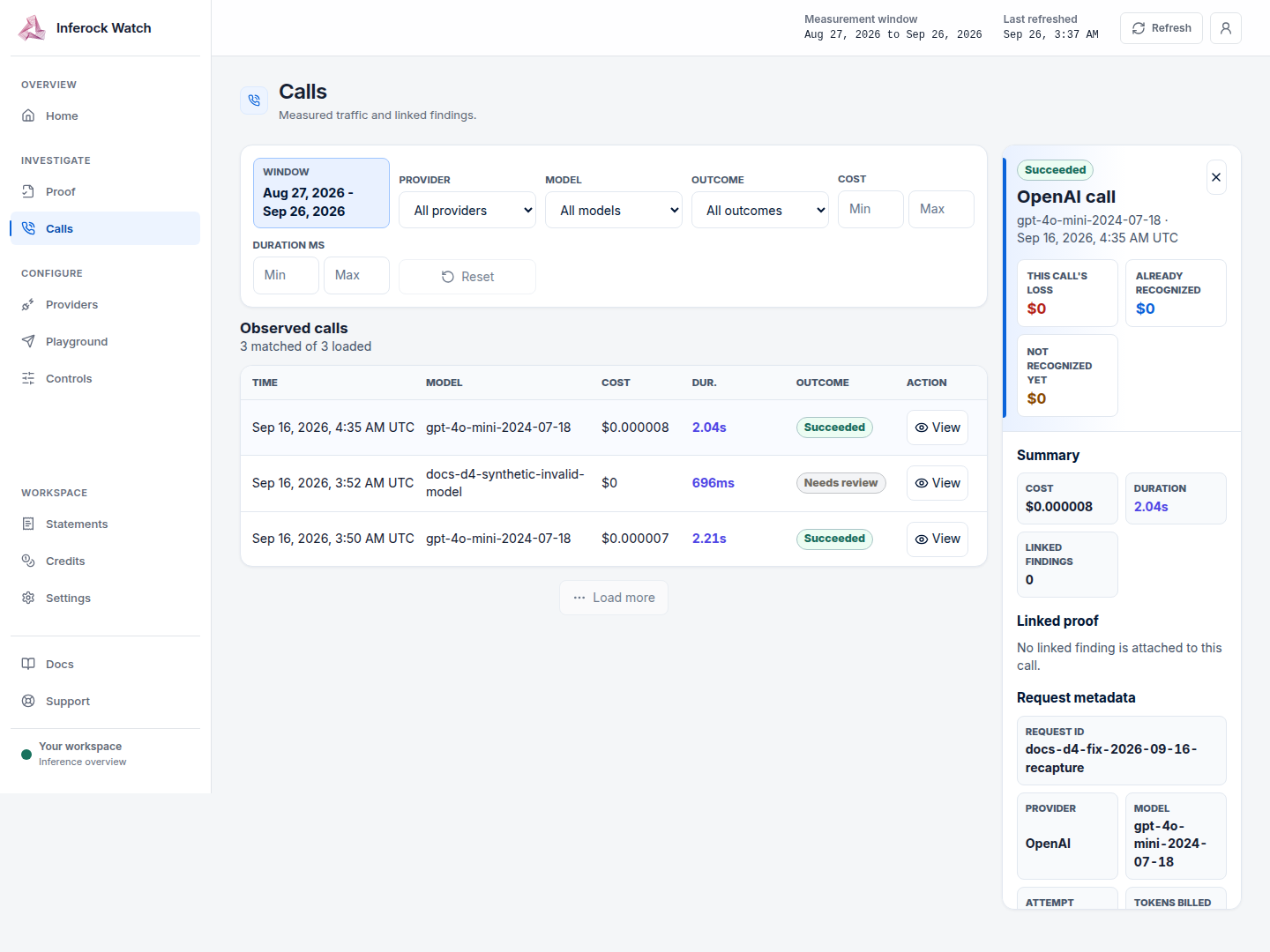
Open Calls and match the request ID you supplied with your gateway request. Open the call details to see provider, model, request ID, attempt and failure class, tokens, cost and timing, linked findings, and redacted payload evidence when those fields are available.
2. Read the period in Home
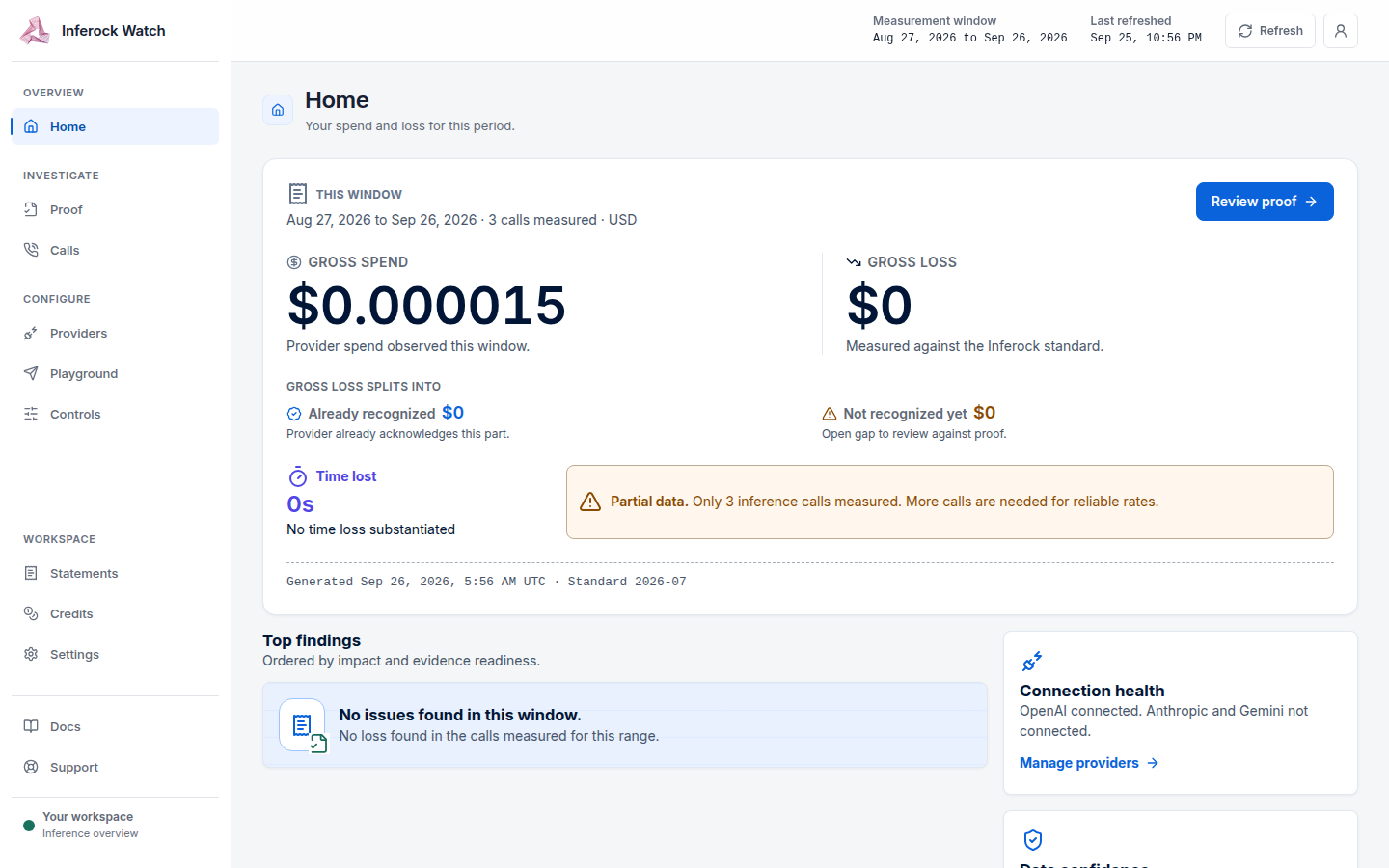
The Home receipt shows these fields:
- Period: the start and end dates for this receipt.
- Calls measured: the calls included in that period.
- Gross spend: provider spend observed in that period.
- Gross loss: loss measured against the Inferock standard.
- Already recognized: the part the provider already recognizes.
- Not recognized yet: gross loss minus the provider recognized part.
- Time lost: substantiated time loss kept separate from money.
- Generated: when the receipt was computed.
- Standard: the version of the Inferock loss standard used for the calculation.
Read the receipt state beside those values. Its product labels are No data yet, Partial data, and Verified.
The displayed recognized loss plus the unrecognized gap reconciles to gross loss. The report keeps provider-recognized loss, Inferock-standard loss and the recognition gap separate.
3. Inspect the finding evidence
Open Proof for finding evidence and proof packets.
4. Read a platform-fee statement
Open Statements in the development app to review finalized platform-fee statements. Open a statement to inspect its period, routed spend, fee rate and amount, call count, delivery and reconciliation status, operation history, and any questions or disputes.
If you use Inferock Watch, open Settings and find Usage and billing. It shows calls measured, routed spend, the platform fee for the current statement, the platform fee rate and credit eligibility. Routed spend is your own provider spend routed through Inferock. Both Credit balance and Credit accrued appear when any credit figure (balance, accrued, redeemed or expired) is above zero. Inferock Serve is prepaid and has no billing section in Settings.
Platform-fee statements are separate from the loss report. They include the period, routed spend, fee rate and amount, call count, statement status, recount basis and provider-billing-evidence label.
Statements use organic routed calls; internal replay is excluded. If the fee starts partway through a period, the fee applies only to spend from the start onward, while the full period's routed spend remains visible.
In Settings, a statement shows its period and a state of Final or Draft. When no statement exists, the Statement row shows Not issued and the Statement state row is hidden.
Read credit activity separately
The credit ledger records accrual, redemption and expiry. Statement entries are signed: accrual is positive; redemption and expiry are negative. Statements use UTC calendar months, and an account with no credit activity has a zero balance.
Do not treat a loss receipt or a balance reference as a credit entitlement.
Credit eligibility and permitted use depend on the credit promise. Reading a balance or a loss report does not create an additional entitlement.
Relative API reference
These are relative API references, not runnable requests. To use these endpoints, you need the customer API base URL and authentication details.
| Path | Record |
|---|---|
GET /loss-report | Loss report for the authenticated account. Optional inclusive from and to dates use YYYY-MM-DD. |
GET /platform-fee-statements | Platform-fee statements owned by the authenticated account. |
GET /credit-ledger/balance | Credit balance. |
GET /credit-ledger/statement | Credit activity by UTC month. |