
First call through the gateway
This guide covers the development gateway. Use the development gateway base URL and your Inferock key for requests.
Before you begin
Complete account and provider-key setup. The selected provider needs a configured key, and the request needs a valid Inferock key.
| Replacement | Value to supply |
|---|---|
GATEWAY_BASE_URL | Open Settings → Inferock keys and select Copy beside Gateway base URL. If that row is missing, follow Support and contact. |
INFEROCK_KEY | The Inferock key issued after activation. |
REQUEST_ID | A unique identifier you choose for this request and later match in Calls. |
| Model | The model used in this request example. |
1. Prepare the request
This example selects the provider explicitly in the request header. Use the Inferock key in the Bearer header. The gateway also accepts that key in x-inferock-api-key or x-api-key.
GET /v1/models lists only the models Inferock serves for your account, including the managed model for Inferock Serve. For Inferock Watch, which uses your own provider keys, an empty list is expected; use your provider's model ID in requests.
Set the gateway base URL and your Inferock key, then choose a request ID:
export GATEWAY_BASE_URL='paste-the-gateway-base-url-shown-at-activation' # Under First proxied call, shown with your Inferock key.
export INFEROCK_KEY='your-issued-key'
export REQUEST_ID='your-unique-request-id'
The example requests the Chat Completions route and supplies a model and a short synthetic message:
curl "${GATEWAY_BASE_URL}/v1/chat/completions" \
  -H "Authorization: Bearer ${INFEROCK_KEY}" \
  -H 'Content-Type: application/json' \
  -H 'x-governance-provider: openai' \
  -H "x-request-id: ${REQUEST_ID}" \
  -d '{"model":"gpt-4o-mini","messages":[{"role":"user","content":"Reply only OK."}]}'
Do not substitute the dashboard URL for the gateway base URL.
Gateway request
Successful provider response
2. Read the response
For successful non-streaming and streaming calls, the gateway preserves the upstream HTTP status and provider response content. It does not replace the result with an Inferock-specific measurement envelope.
3. Find the measured call
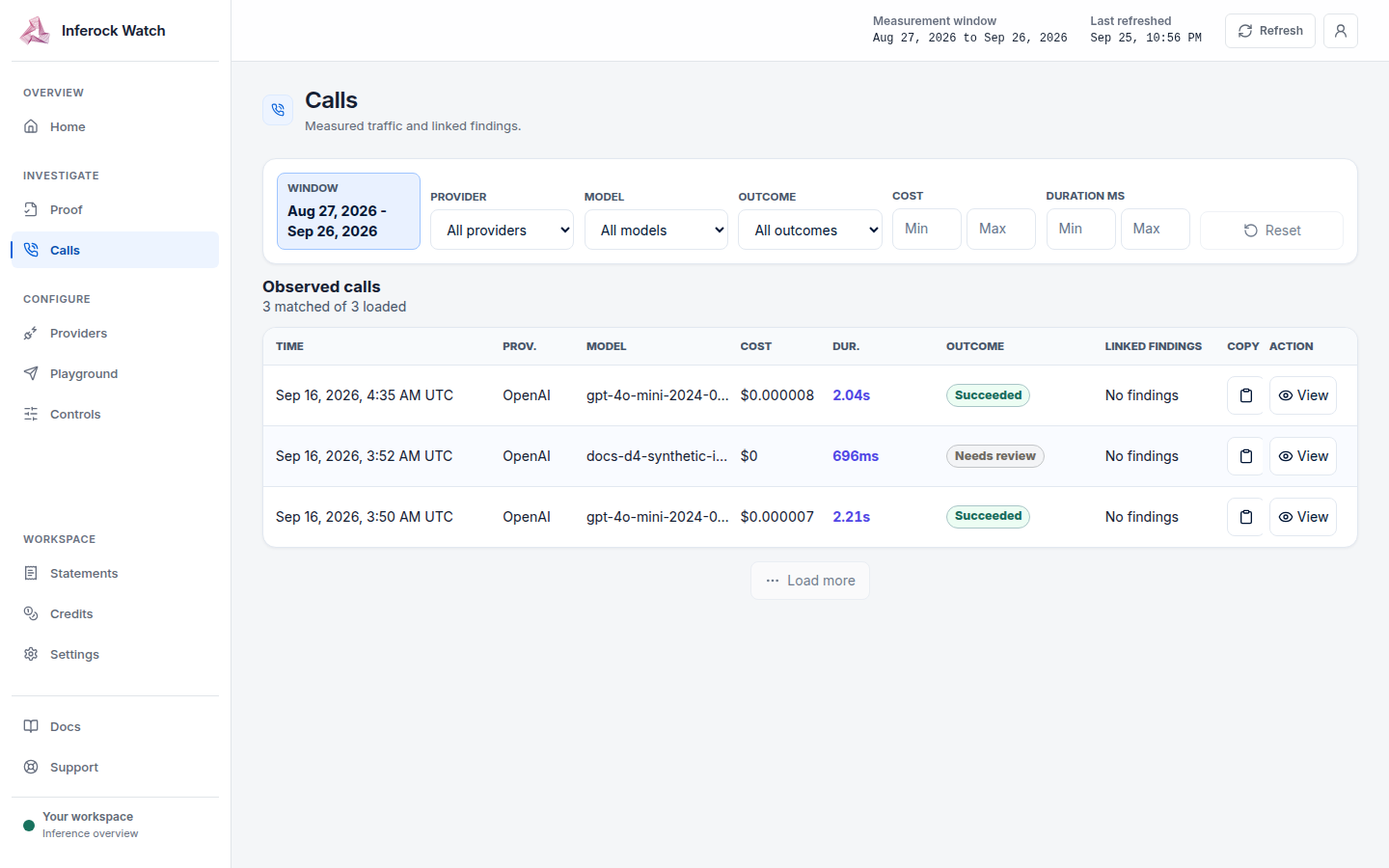
After an actual provider result, the gateway emits a measurement event. Open Calls and match the value you set in REQUEST_ID. Open the call details to confirm the same request ID.
When a request fails
| Response | Meaning | What to check |
|---|---|---|
401 — Missing Inferock API key | The request has no Inferock key. | Supply the issued Inferock key in an accepted header. |
401 — Invalid Inferock API key | The supplied Inferock key is invalid. | Check that the header contains the Inferock key issued for the account. |
404 — No provider key configured for tenant and provider | The selected provider has no configured account key. | Connect that provider's key in account setup. |
500 | The authentication service is unavailable. | Retry once. If it repeats, stop retrying and follow Support and contact. Do not replace a valid key. |
502 | The provider-key service is unavailable. | Retry once. If it repeats, stop retrying and follow Support and contact. Do not reconnect the provider key. |
413 or 429 | A payload, rate, quota or spend limit rejected the request. | Follow Limits. |
If you still need help, email support@inferock.ai; we respond within one business day.
Other request routes
The proxy also exposes native POST /v1/responses and POST /v1/messages. This guide covers the Chat Completions example; it is not the complete ingress reference.